Outlet and socket detail
Record the wall plate, room or area, outlet type, label and each individual socket.
NETWORK OUTLET DOCUMENTATION
Record where every outlet is, assign each socket to its actual patch-panel position and keep the route back to the rack clear.
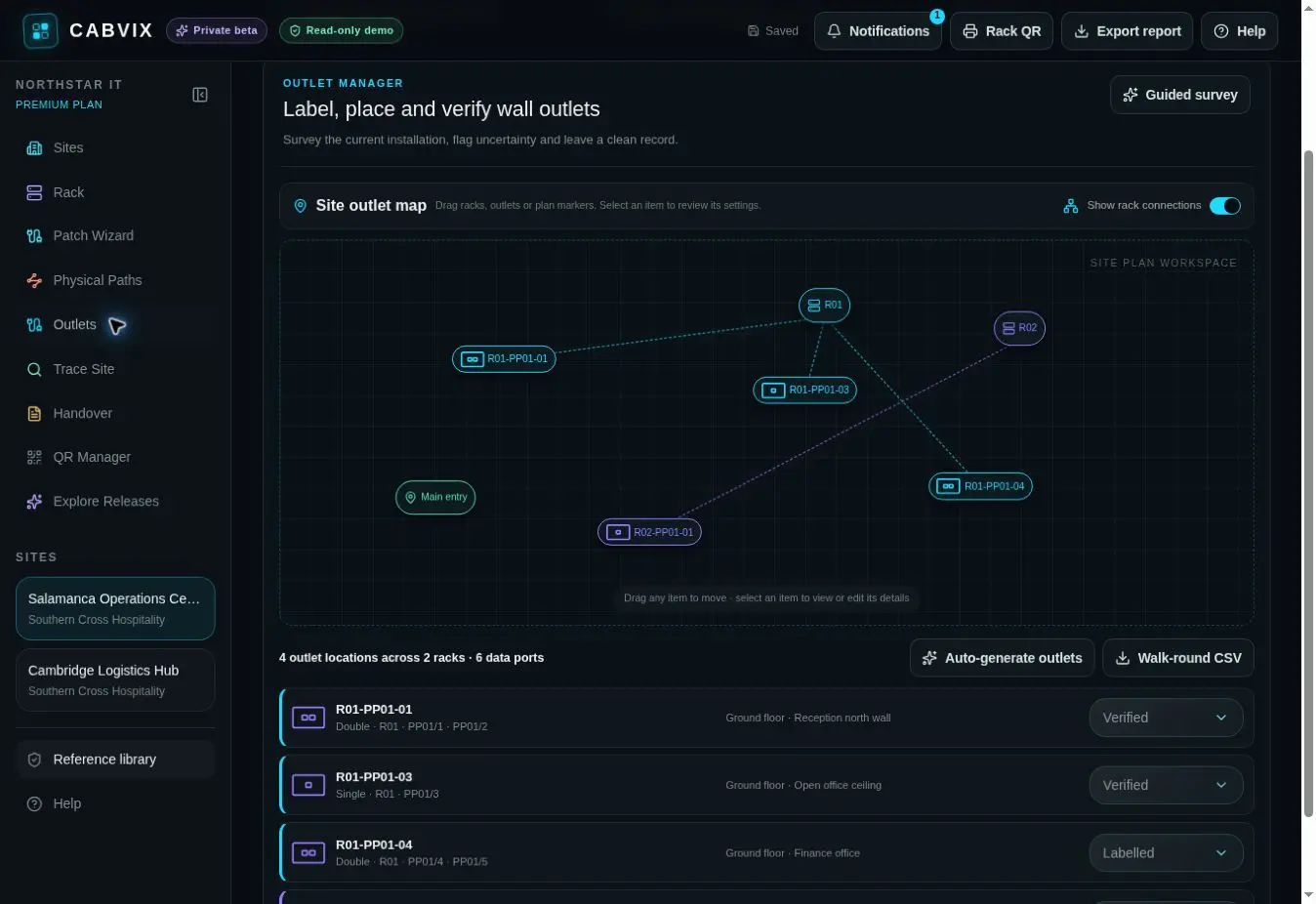
Network outlet documentation connects each physical wall socket to its label, site-plan position, rack, patch panel and port so another technician can follow the installed path.
THE COMPLETE OUTLET RECORD
Record the wall plate, room or area, outlet type, label and each individual socket.
Map every socket to its real rack, patch panel and port—including non-consecutive assignments.
Place the outlet where it exists in the building so field teams can find it without relying on a spreadsheet description.
OUTLET MANAGER WORKFLOW
Select a one-to-six socket wall plate and record its physical location.
Choose the correct patch-panel destination for every individual socket.
Use the rack, panel and port record to create a consistent outlet identifier.
Position the documented outlet on the site map and retain its path to the rack.
USEFUL AFTER INSTALLATION
Start at the labelled outlet and identify the expected panel and port before opening the cabinet.
See how the socket is assigned before repatching, relocating equipment or changing the room layout.
Connect outlet schedules and plan locations to the maintained rack, connection and commissioning record.
COMMON QUESTIONS
The site and room, outlet label, individual sockets, patch-panel assignments, rack and available connected-device or path information.
Yes. Each socket is assigned individually, so a multi-port outlet does not have to use consecutive patch-panel positions.
Yes. Documented outlets can be positioned on a site plan to connect their physical location with the rack record.
Yes. Outlet labels can be generated from the maintained rack, patch-panel and port assignment.
Yes. Socket-to-port assignments support tracing between the outlet, panel and connected network hardware.
No. Outlet mapping supports the physical record and handover; required testing, certification and compliance records remain separate professional obligations.
EVERY SOCKET HAS A DESTINATION