Source and destination
Select the panel port, connected hardware and destination port instead of relying on free-form notes.
PATCH PANEL DOCUMENTATION
Use a guided workflow to document where a patch begins, what it connects to and the physical details a technician needs later.
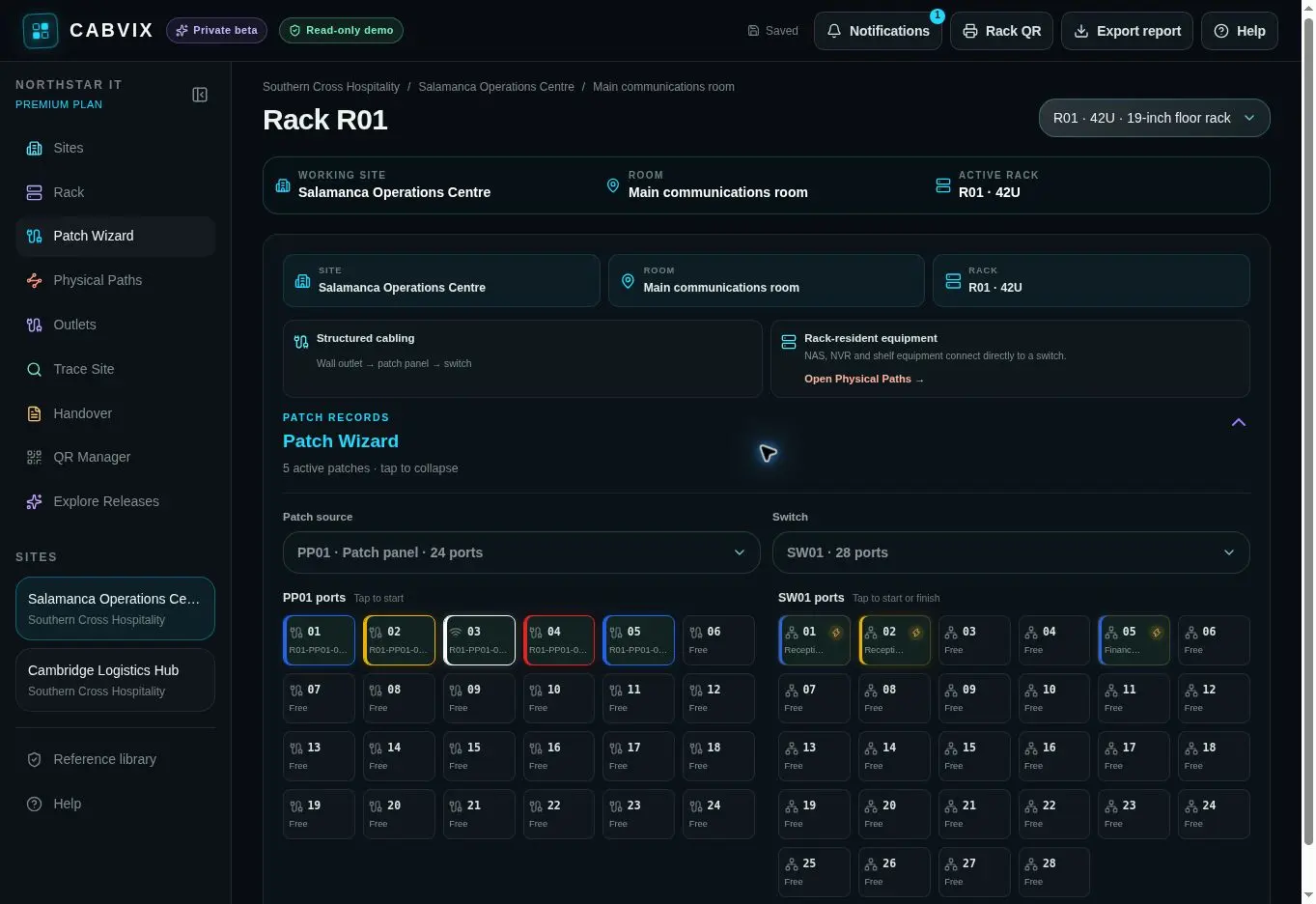
Patch panel documentation records how panel ports connect to switch ports, outlets, devices and other physical endpoints—so the next change begins with context.
GUIDED PATCHING
Select the panel port, connected hardware and destination port instead of relying on free-form notes.
Keep practical cable information beside the connection where a technician expects to find it.
Update the current physical state while retaining operational context for later review.
PATCH WIZARD FLOW
Begin from the rack and port being worked on.
Select the actual destination device.
Record colour, tags and relevant PoE context.
Save the completed physical connection.
COMMON QUESTIONS
The selected source port, destination hardware and port, plus supporting cable details within the physical network record.
Yes. CABVIX supports repatching so the current state can be maintained as work changes.
Yes. Outlet Manager maps sockets and patch-panel positions, while Physical Paths and Trace Site help show how endpoints connect.
No. CABVIX is a physical documentation workspace; it does not claim to automatically discover or monitor logical network state.
PATCH WITH CONTEXT