Client to rack hierarchy
Organise infrastructure by client, site, room and rack so technicians enter through familiar physical locations.
NETWORK RACK DOCUMENTATION
Record racks as they physically exist, then keep hardware, locations and connections available to the whole authorised team.
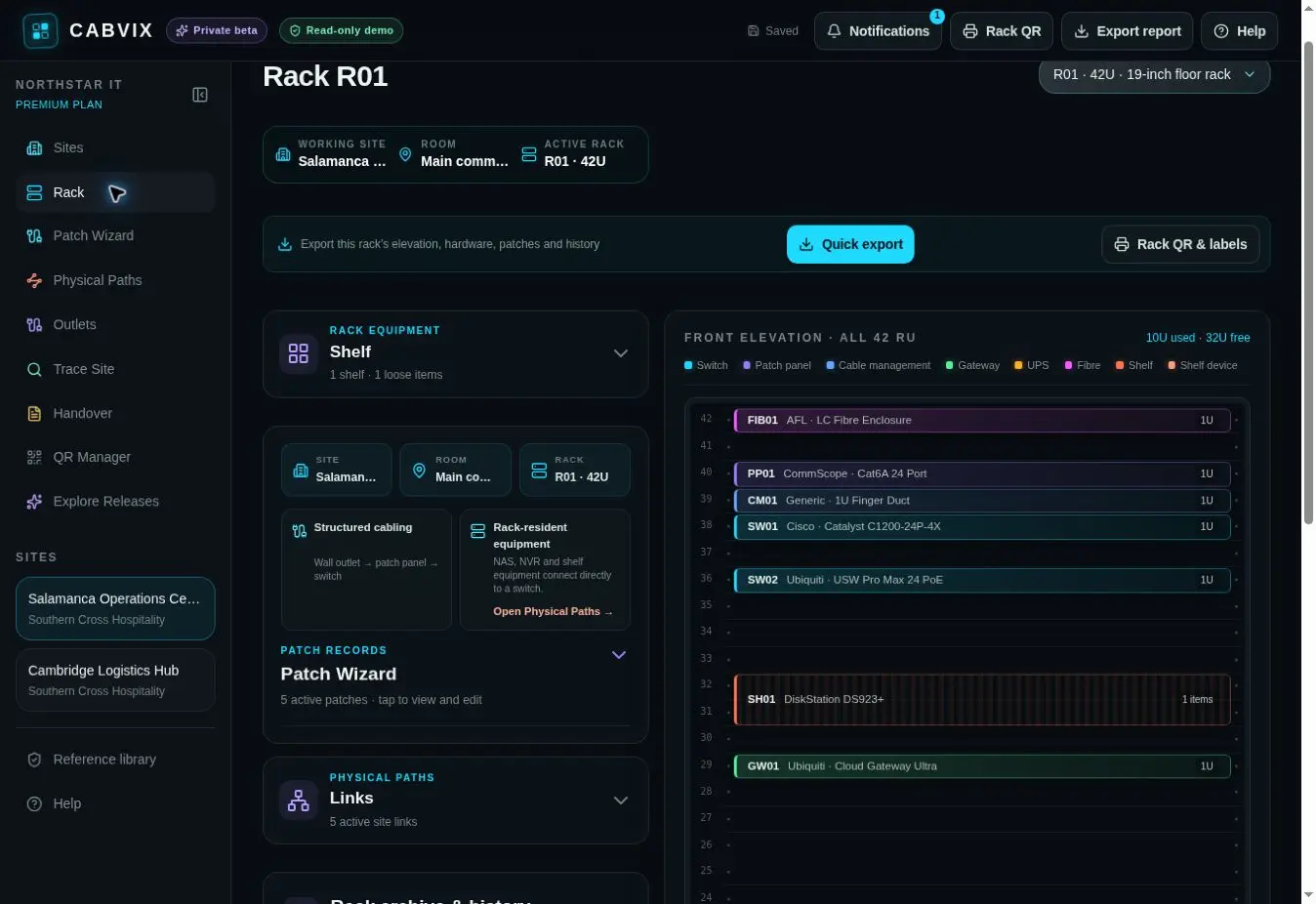
Network rack documentation is a maintained visual record of cabinets, installed hardware, RU positions, ports and the physical connections between them.
ONE PHYSICAL RECORD
Organise infrastructure by client, site, room and rack so technicians enter through familiar physical locations.
Place devices, shelves and patch panels where they actually sit and retain identifying detail with the record.
Connect ports, outlets, fibre, carrier handoffs and inter-rack links to the equipment they serve.
HOW IT WORKS
Add the client, site, room and cabinet.
Build the rack at its real RU positions.
Record ports, patching and physical paths.
Trace, update, report and hand over from the same workspace.
COMMON QUESTIONS
Yes. Records are organised by client, site, room and rack so the same structure can be used across an estate.
No. CABVIX records the physical layer and complements monitoring, service-management and security tools.
Yes. CABVIX is designed for browser and mobile access so records can be checked and updated beside the cabinet.
Installation Handover and report workflows use the live workspace data alongside evidence, test results and close-out checks.
EVERY CABINET. EVERY CONNECTION.