Choose the known path
Begin with the rack, patch panel or existing connection that can be identified confidently.
NETWORK CABLE TRACING
Use Trace Wizard to reverse-map an existing connection from the rack to the outlet or device, then add the confirmed path to the site record.
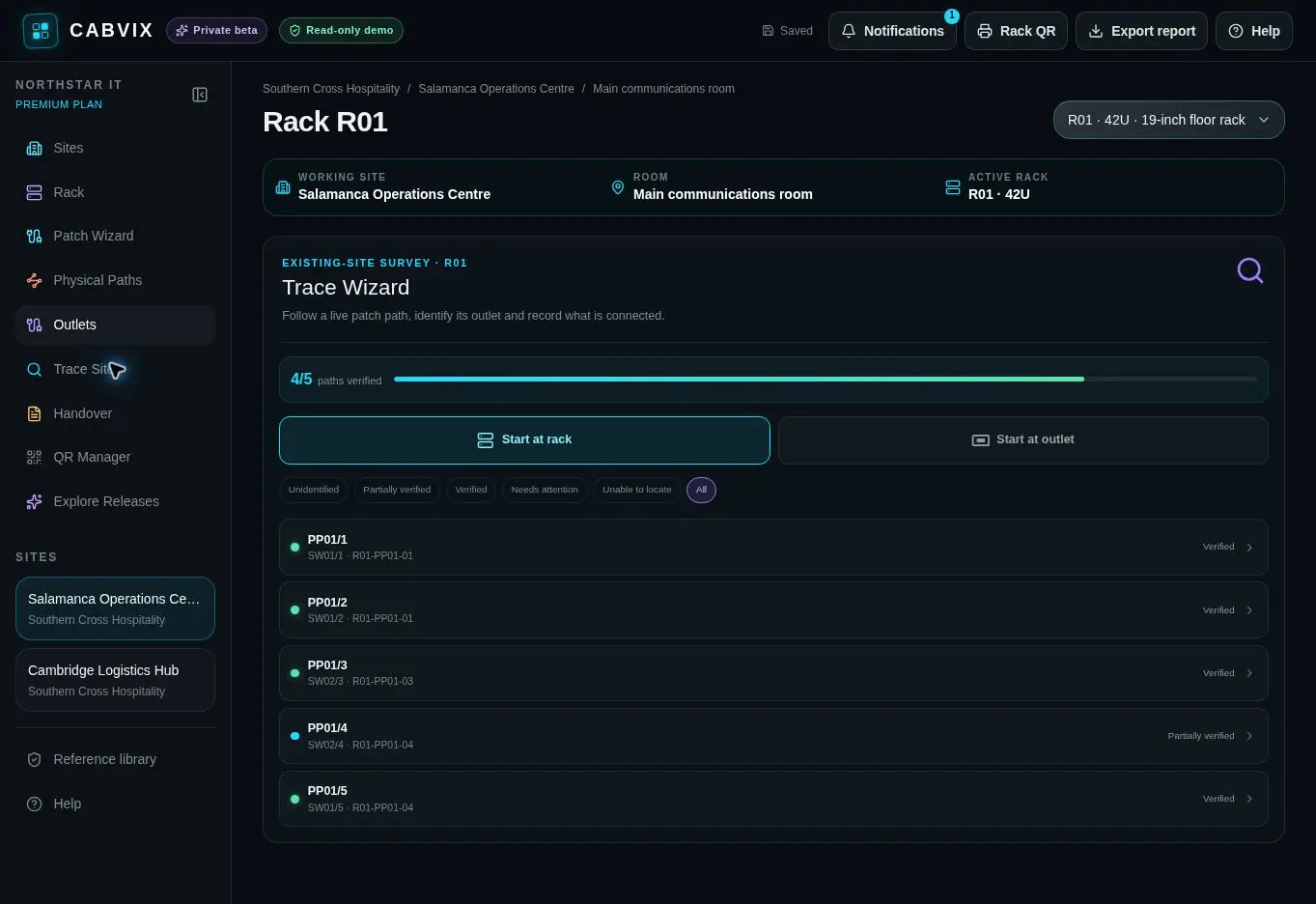
Network cable tracing identifies how an existing outlet or device reaches the rack. CABVIX turns the confirmed outlet, panel, switch and device path into a reusable record.
WHEN THE DESTINATION IS UNKNOWN
Begin with the rack, patch panel or existing connection that can be identified confidently.
Use field tracing methods to locate the connected outlet, device or other physical endpoint.
Add the discovered destination and verify the connection before retaining it in the site record.
TRACE WIZARD FLOW
Choose the documented rack-side connection to investigate.
Confirm whether the trace resolves to an outlet, connected device or another physical path.
Record a newly discovered outlet and match its socket quantity when it is not already documented.
Confirm the endpoint and retain the completed path for future support and change work.
A TRACE THAT REMAINS USEFUL
Give the next technician the confirmed physical route instead of starting the same trace again.
Work through inherited or incomplete sites and replace uncertain connections with verified records.
Understand what the existing connection serves before a port is moved, reused or disconnected.
THE RIGHT TOOL FOR EACH JOB
CABVIX records the physical route and the evidence your team confirms. It does not replace a toner, network tester, cable certifier or the qualified judgement required to diagnose performance and compliance.
COMMON QUESTIONS
It identifies the physical path between a device or outlet and the rack components, patch-panel positions and switch ports that serve it.
Yes. Trace Wizard supports recording an outlet discovered in the field and matching the socket quantity to the physical wall plate.
Yes. The reverse-mapping workflow suits sites where rack connections exist but their outlet or device destinations are uncertain.
No. CABVIX records the discovered path. Qualification, certification and fault testing require appropriate equipment and qualified personnel.
Yes. Confirmed outlet, device and connection details become part of the maintained physical network record.
Patch Wizard records or changes a connection deliberately. Trace Wizard works backwards through an existing path to identify and document what is already connected.
TRACE IT ONCE